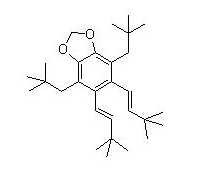
I finally cracked the secret of getting ChemDraw structures into a post without having to buy anything. It’s not perfect, but it is a start.
Paste a structure into Microsoft Paint which is found in Accessories in the Start Menu. Save as a jpeg. Then, re-open in Microsoft Photo Editor, crop, and save again. Finally, import to wordpress as a jpeg. Whew!
Be nice. I’m a little slow sometimes.
 Lamentations on Chemistry
Allow me to help you cut out a step.
Paste your structure in paint as you did. At this point you can crop it.
Once you paste it in, everything should be selected, but if it’s not, just hit CTRL+A.
To eliminate stuff from the top or left side of the page, just drag your selection in a way so it excludes whatever you don’t want.
Then deselect (just selecting another tool from the left), and scroll to the bottom right.
You’ll see a little blue box, just drag that up to edge of where you want.
If there’s still stuff in there you don’t want, you can just use the erase tool. (It looks like a pencil eraser.)
If you want, to shrink your image, hit CTRL+W, or go to image, then select stretch/skew. Then put it whatever % you want to shrink it by.
Then you just save as a jpeg and go right to wordpress or wherever from there.
Okay, much easier method. But you can use that method for anything, including screenshots (just hit Print screen on your keyboard, then paste in paint.)
In ChemDraw (I’m using ChemDraw Ultra 10.0) you can just save as either a .bmp, .png, or .gif. It just saves the structure you drew, not excess whitespace. No .jpg option, but I assume WordPress can handle one of those other options.
Get a cheap capable paint proram (Paint Shop Pro), capture the window, save as a png (jpegs suck for line drawings). Reduce the palate to what you need, edit, do with it as you will.
In principle you can ^C copy an image into the buffer and ^V paste it into whatever, ditto a screen capture through PrintScreen. In practice it’s not called Wincrap for not being crap.
Ahh, from one caveman to another. There’s a wonderful program called ACDlabs chemsketch 11.0. It’s freeware and will do exactly what you want without the Chemdraw gestapo parachuting in, knocking you senseless, and flying you to to a Russian city where they celebrate the enema (which may or may not be disturbing to you).
Lots of good suggestions. WordPress (this blogging service) allows you to upload a variety of files. But I found by trial and error that certain file types are corrupted when they show up on the page. The editor for WordPress is a little quirky.
I’ll have to try the latest ACDLabs pkg. I did my dissertation in ChemDraw (like everyone else) and have since accumulated a large set of CDX files. Perhaps Chemsketch will open them.
I really don’t want to upgrade to Vista. Too many accumulated years of creeping featurism.
I’m thinking that amphibidene will undergo a [3,3] and an aromatization to yield fat amphibidene. Sort of a “reverse-Limbaugh” rearrangement.